 Escape RoomsThe games
On your phone
An escape room game on your phone, no app needed
Our rooms are a mobile escape room in the browser. Tap a link and a 3D room opens in Safari or Chrome. You walk around it with your thumbs and tap anything to look closer. No app store, no install, no account.
The short version: open the link in your phone's browser, use the left joystick to walk and the right one to look, and tap any object to go up close. Phones get a lighter version of each room automatically, about 3 to 6 MB per room, so it loads quickly and runs smoothly.
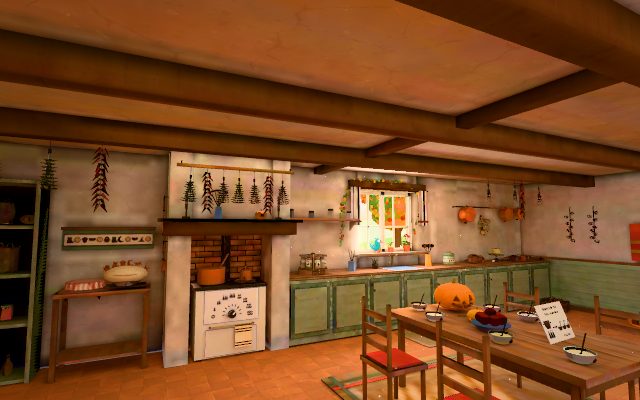
It opens in your browser
There is nothing to download. On an iPhone or iPad, open the link in Safari; on Android, in Chrome. Firefox, Edge and other up-to-date browsers work too. The room needs a browser that can show 3D (WebGL), which recent phone browsers can.
Because it is a web page, it's the same game on every device. Start on your phone on the train, and if you own the game, enter your code on your laptop at home: it starts in the room you reached last.
How to walk and look on a touch screen
When the room opens you stand in it, and two joysticks sit at the bottom of the screen:
- The left joystick walks. Push it the way you want to go.
- The right joystick looks. Push it to turn and to look up or down.
- Prefer tapping? In the menu (the gear, top right) you can switch to tap and drag: tap the floor to walk there and drag anywhere to look.
- Lost your bearings? "Back to start" takes you back to where you came in.
How close-ups work
Tap any object and the view glides up to it, with its name and a short description. That close-up is where you play: tap a part of the object and it does its natural thing. A dial turns one step, a key presses, a flap is pushed. Codes are entered on the lock itself, and it tells you whether the whole answer is right.
Press and hold anywhere in a close-up to look even closer, and let go to come back. Tap an item to pick it up: it shows as a small "In hand" label at the top right, and you tap a place to use it there or tap its X to put it back. "Back to room" returns you to exactly where you stood.
If you can't find something, "Look closer" in the bottom left lists the room's objects as buttons. It's handy on a small screen.
Data and battery
Phones load a lighter version of each room on their own, with no setting to change. The 3D model of a room is about 3 to 6 MB in that version, depending on the room. On top of that come the game itself, any animal that lives in the room, and the parts that appear as you solve things. The neon game's first room, for example, comes to about 7 MB in all: far less than a few minutes of video. Wi-Fi helps, but mobile data works fine.
Like any 3D game, a room keeps your phone's graphics chip busy while it's on screen, so expect it to use more battery than reading a web page. If you're low, take a break: on the same device your progress is kept, and you pick up where you stopped.
Add it to your home screen
If you'd like it one tap away, add it to your home screen. In Safari, tap Share and then Add to Home Screen. In Chrome on Android, open the menu and choose Add to Home screen. You get the game's keyhole icon, and it opens like a bookmark in your browser. It is not an installed app, so there is nothing to update.
Sound
Rooms make small sounds when you tap things. Somewhere quiet? Turn the sound off in the menu (the gear, top right).
Try it now
On each game's own site you can walk around the room that's open now and look at every clue up close, free and with no code or account. It's the quickest way to see how a 3D escape room feels under your thumbs. Playing the rooms comes with the games: €2.99 for one ($2.99 in the US), or €5.99 for all four.
Questions
Do I need an app?
No. The rooms run in your phone's web browser: Safari on an iPhone or iPad, Chrome on Android, or any other up-to-date browser. Tap the link and the room loads like a web page. There is nothing to install and nothing to remove afterwards.
Does it work on an iPhone and on Android?
Yes. The rooms are built for phones first, with touch controls and close-ups sized for a finger. They need a browser that shows 3D (WebGL), which recent versions of Safari and Chrome do. A newer phone runs them more smoothly than an old one.
How much data does a room use?
On a phone each room loads a lighter version of its 3D model, about 3 to 6 MB depending on the room, plus a little more for the game itself and any animals or parts that appear. Wi-Fi is handy but not needed.
Can I play on a tablet or computer instead?
Yes. The same link works on a tablet, laptop or desktop. Computers get the fuller version of each room, and you walk with the arrow keys or WASD and drag to look. If you own a game, your code opens it on your other devices too.
More: our guide to online escape rooms and playing an escape room alone.